Framer 3.0 and Framer Agents are here. The biggest Framer release in years.
As a Framer partner agency, we build with it every day.
We've delivered websites for startups, scale-ups, enterprise teams, and global brands. We've worked closely with Framer for years, participated in the Framer 3.0 launch activities, and maintain direct access to the people building the platform. Every release lands in our own production workflow first, which is how we can help teams understand what's new, what's worth adopting, and what comes next.
Framer 3.0 launch participant
Five features that change how Framer sites get built.
Framer 3.0 is the biggest release since the platform became a website builder. These are the changes that matter most for the sites we build.
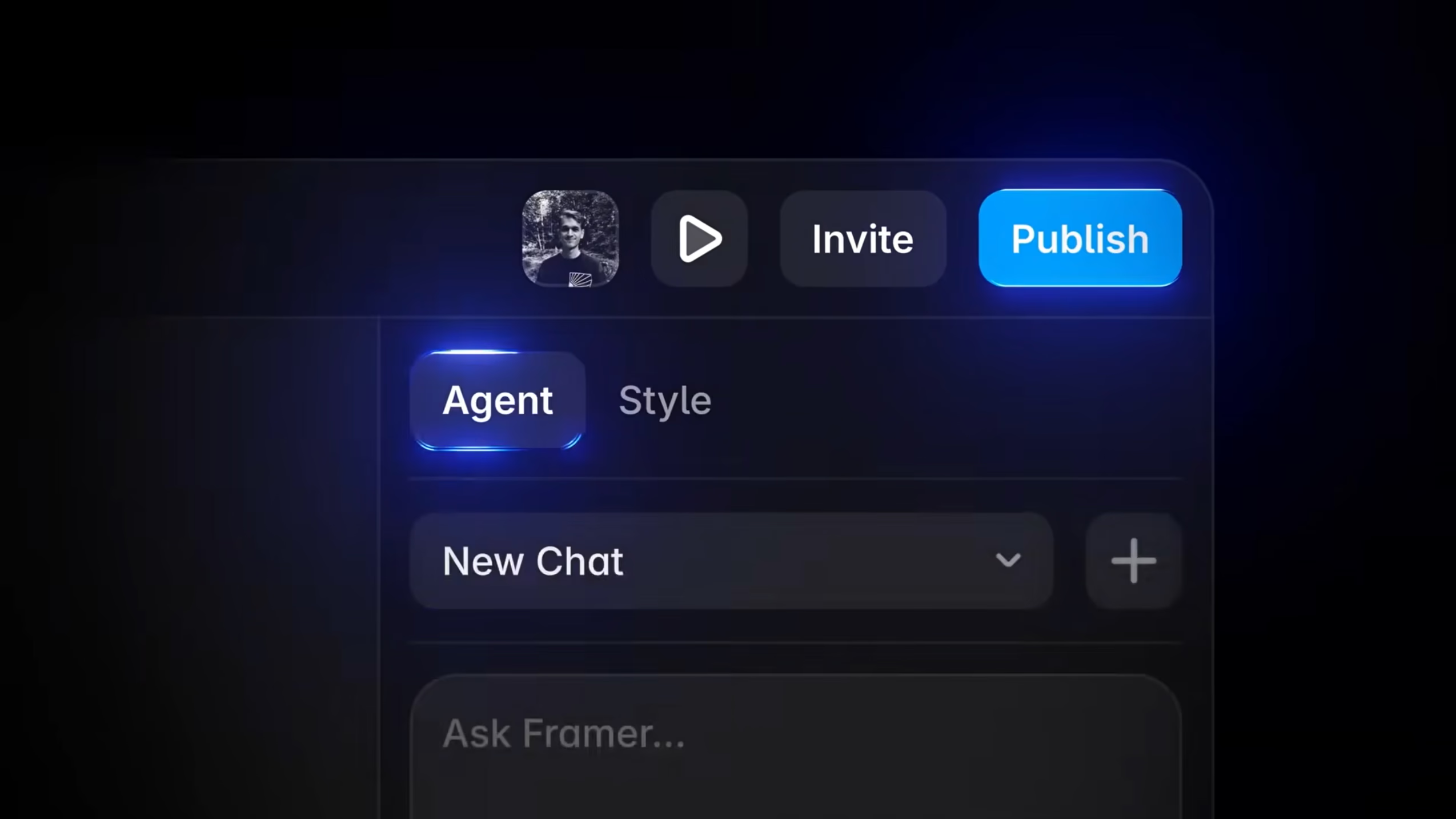
Framer Agents
Agents understand your existing project — components, design system, spacing — and generate directly on the canvas. Ask for a new section, responsive variants, or an extended component, and the agent works within the design language already in place, reading the context of what you've built.
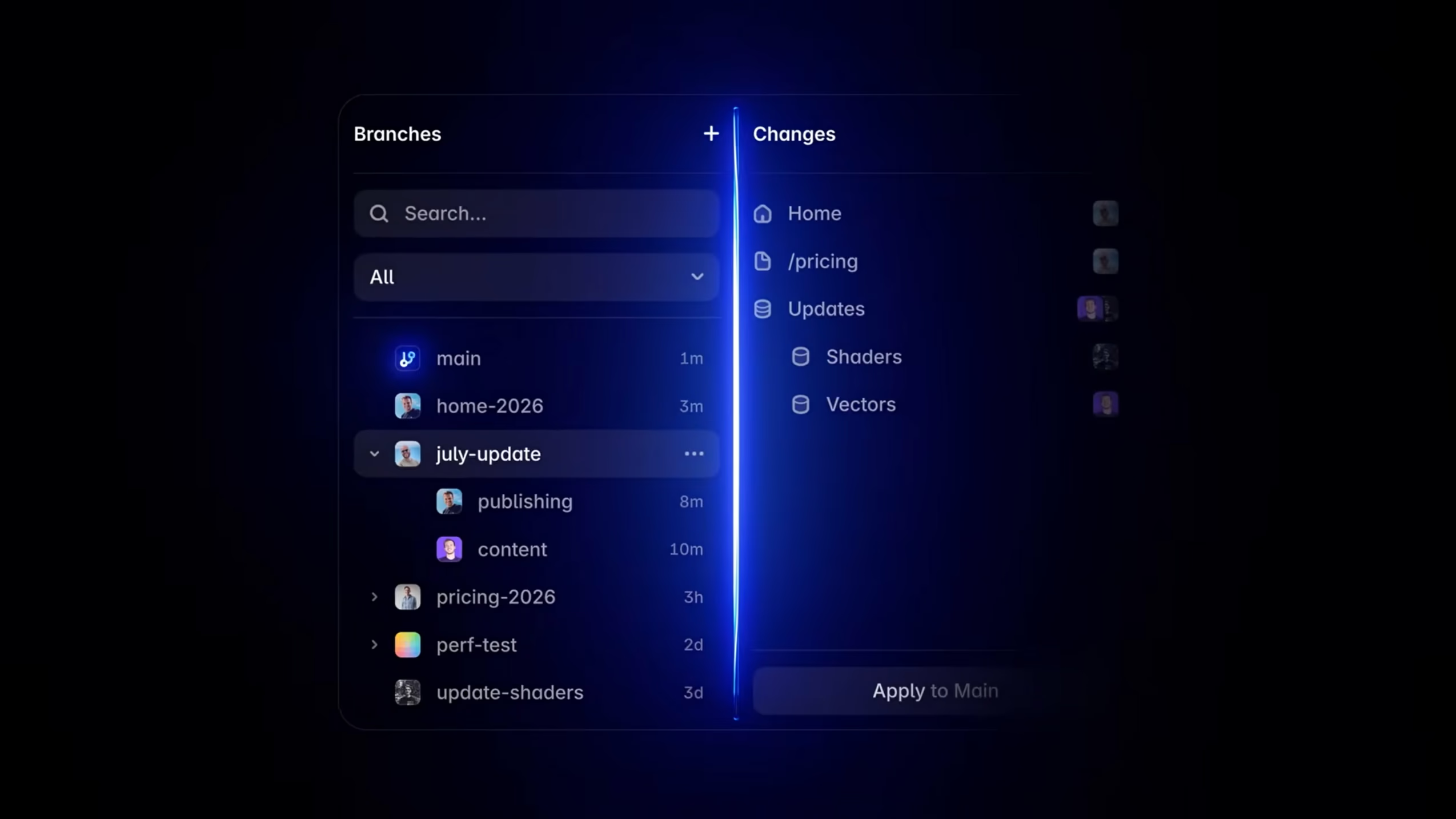
Branches
Edit a site on a separate branch without touching the live version. Several people can work in parallel — one team iterating on a homepage redesign, another building a campaign page — and merge when both are ready. The main branch stays intact until you decide otherwise.
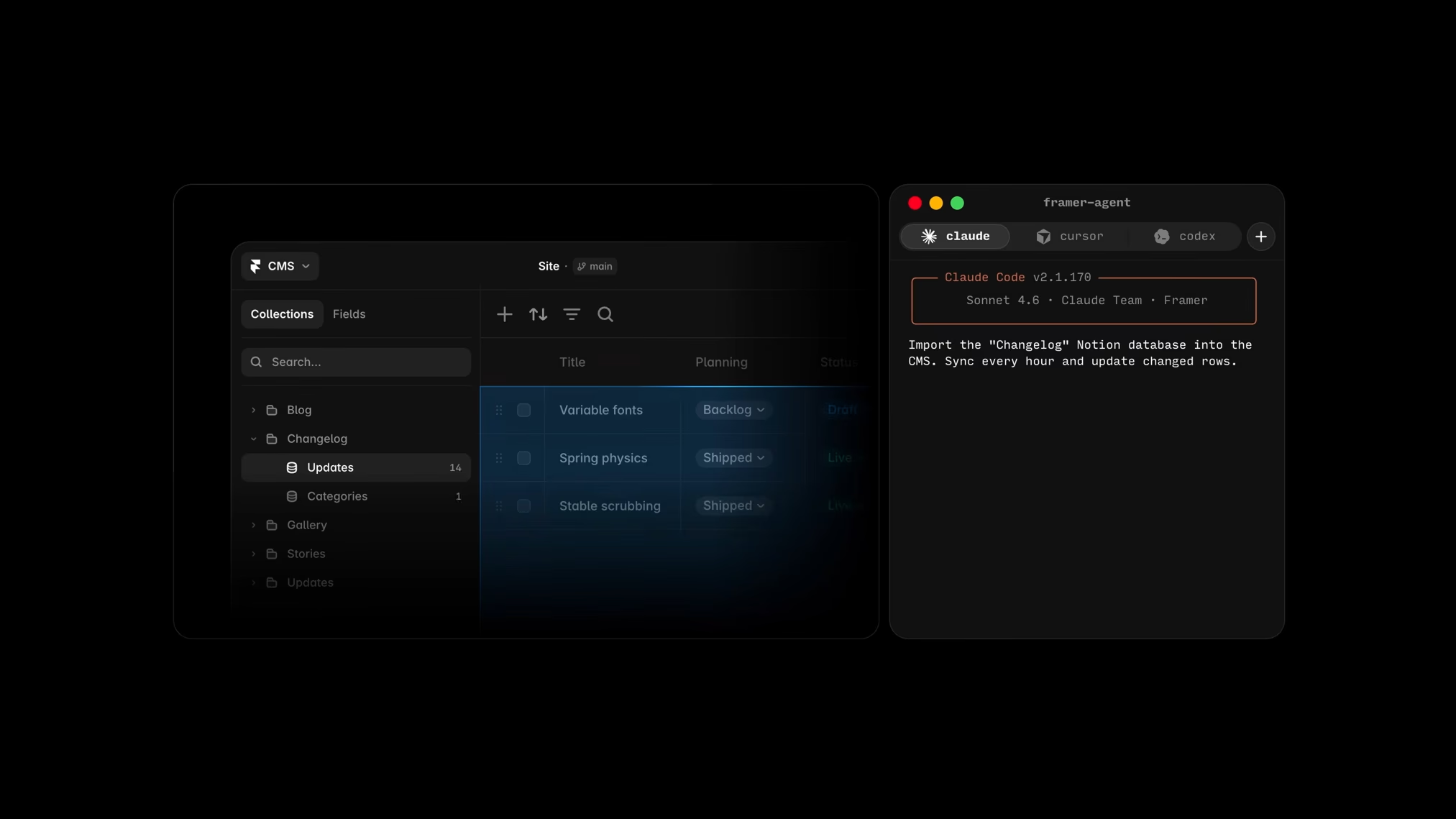
Framer API
A public API that lets external systems read and write Framer data — collections, pages, content — without opening the editor. Custom editorial tooling, automated syncs, and integrations that previously needed workarounds can now be built cleanly against a supported interface.
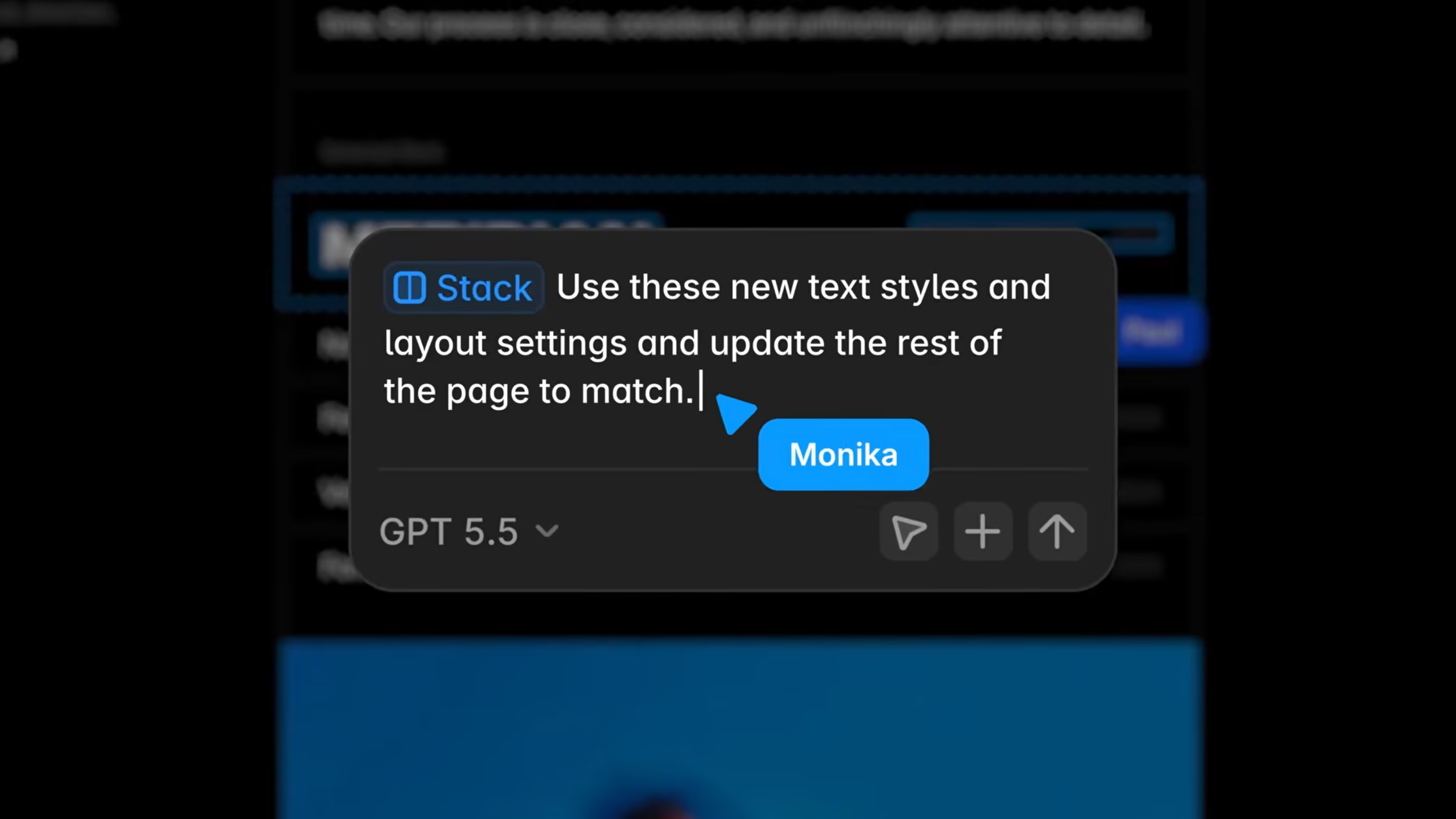
Batch layer style editing
Find text layers across the entire project that are missing a style assignment and fix them in one operation. Design systems stay consistent at scale, and inconsistencies that are easy to miss page by page get surfaced in one place.
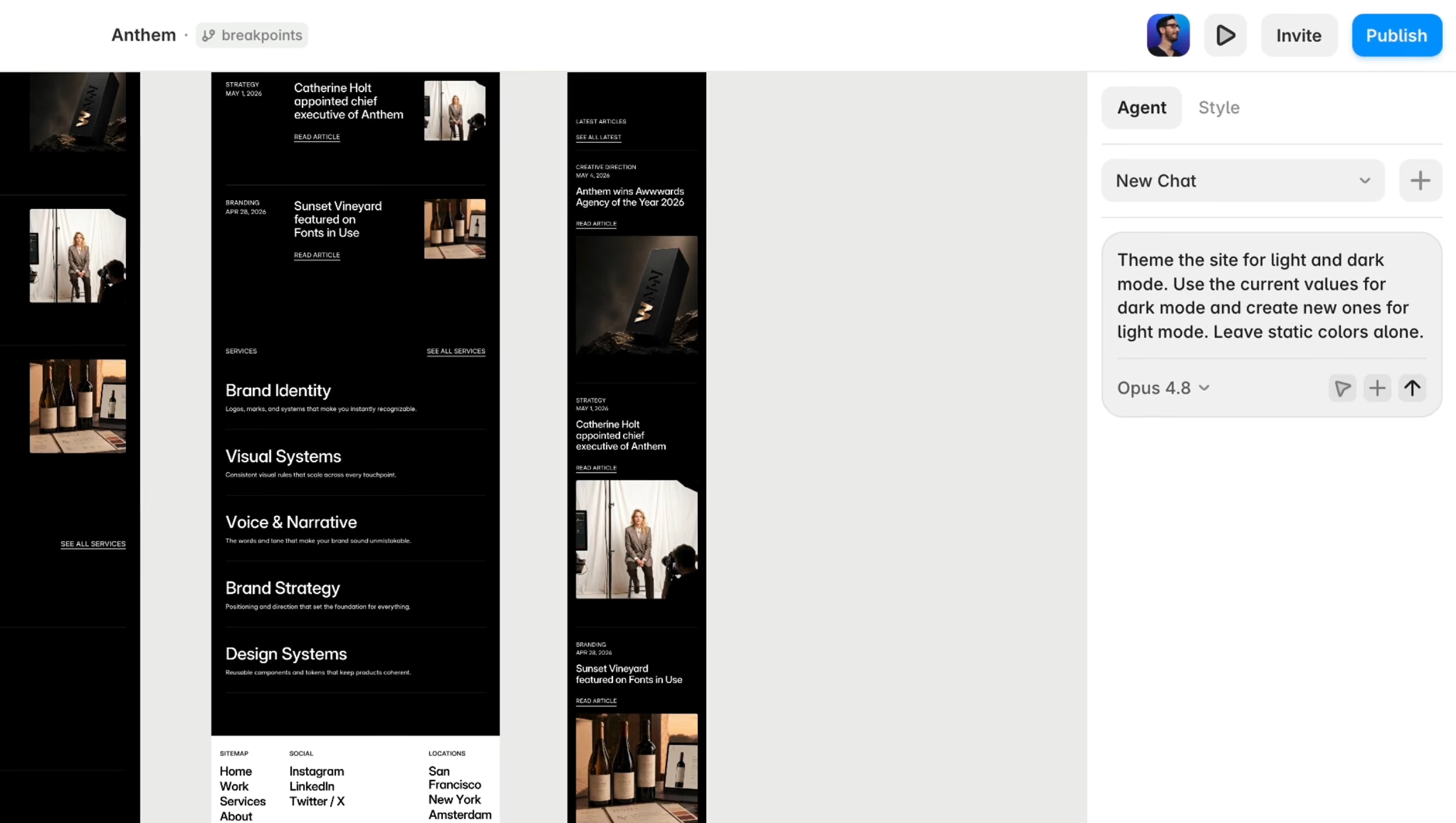
Light and dark mode generation
Generate a dark mode version of your existing design automatically. The agent reads the current palette and component states, produces a coherent dark-mode counterpart, and leaves you with a starting point that respects the system you already designed.
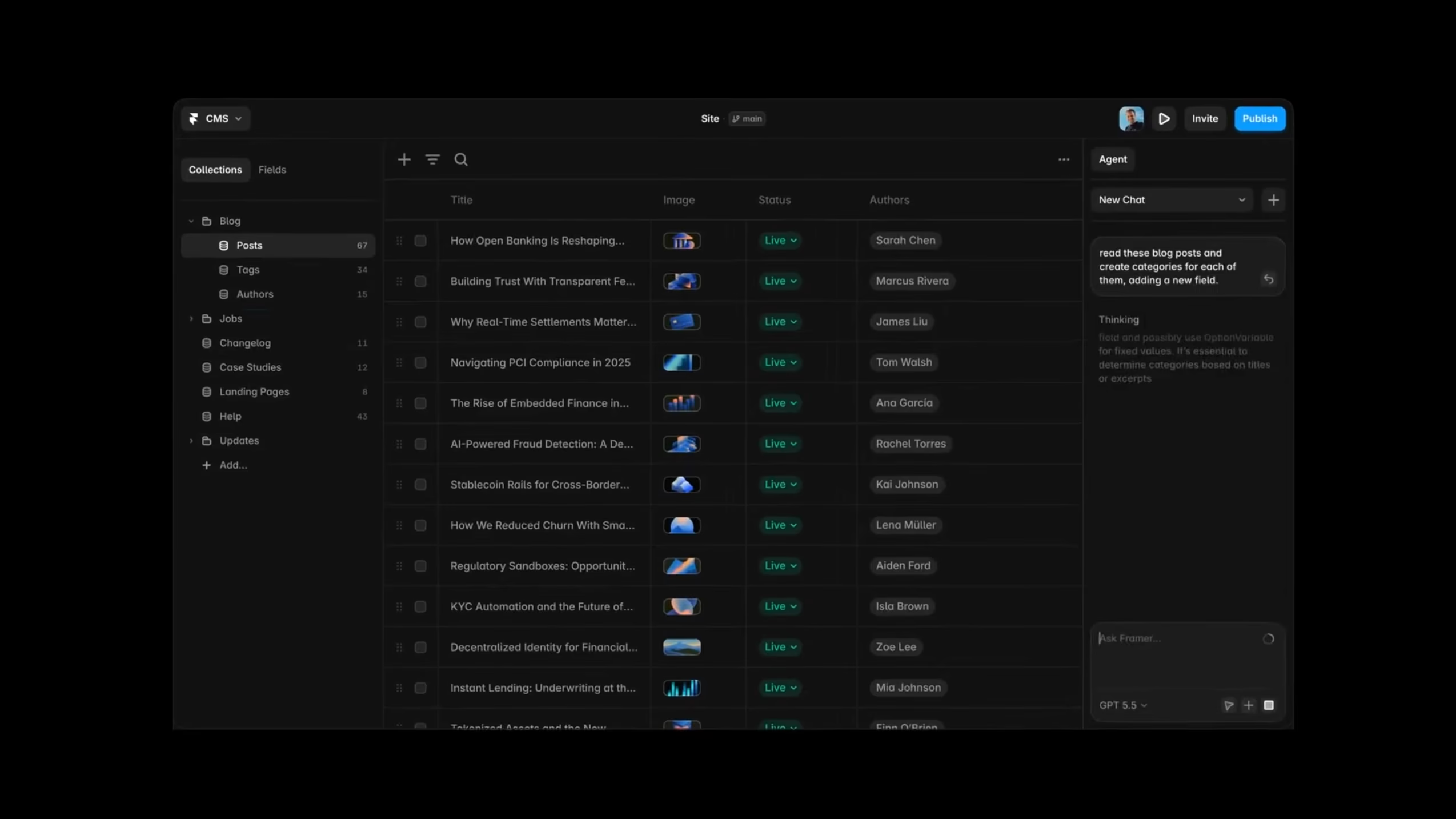
CMS content autofill
Fill CMS collection items from the context of the collection itself — field names, existing entries, and the shape of the content. Editors populate faster, and the output reads like real content written for the collection.
What 3.0 means for the websites you run. Faster building, a smarter CMS, and better visibility in search.
The release matters most for what it changes downstream: how quickly pages ship, how content gets maintained, and how the site performs once it's live.
More of the site gets built without a developer
Agents generate sections, components, and responsive variants inside the design system you already have. Marketing teams move from idea to published page faster, and the work stays consistent with everything around it.
A CMS that fills and maintains itself
Content autofill populates collections from the context of the collection itself, so editors spend less time on data entry and more on the message. Paired with a headless CMS when you need editorial governance at scale, the content layer stays clean as the site grows.
Built for search and answer engines
Structured content, clean markup, and metadata are part of how we build, so pages rank in search and read clearly for the AI answer engines that now sit between your site and its audience. We scope SEO and AEO into the build from the start.
A platform your team can run
We hand off a site your marketing team owns: documentation, training, and a component system non-engineers can use with confidence. You iterate on landing pages and campaigns without waiting on a developer.
Where we're putting our attention as 3.0 lands in production.
We've been running Framer builds across the full surface of what the platform supports. These are the areas we're tracking as 3.0 moves from announcement to everyday practice.
-
How teams build and maintain websites
Agents change who can build pages and how quickly. We're watching where the speed gains are real and where the extra review loop adds time back in.
-
Changes to content and editorial workflows
CMS autofill and agent-assisted editing shift how editors work day to day. We're tracking which workflows genuinely improve and which ones introduce new friction.
-
Design system implications at scale
Agent output needs to stay inside the design system it's working within. We're watching how component fidelity holds up as teams scale usage across larger projects.
-
Enterprise adoption paths
Larger organisations have existing Framer properties and established editorial processes. We're mapping what a sensible adoption sequence looks like at that scale.
-
Operational impact on agency workflows
For agencies running multiple Framer projects in parallel, 3.0 changes the economics of new builds and ongoing maintenance. We're tracking what that shift looks like in practice.
-
Long-term scalability of AI-generated output
Output quality today isn't the same as output quality in six months. We're watching how agent-generated pages hold up as a project grows and its design system evolves.
Anyone whose work runs on Framer or is about to — and wants to know what 3.0 changes for them.
Teams already on Framer
3.0 lands on top of what you've already built. The most common questions: where to start, what changes for existing pages, and how to adopt Agents without destabilising a site that's already live.
Marketing teams
Agents and CMS autofill change the pace of editorial work. Your team can move from brief to published page faster, without waiting on a developer for every new section or layout change.
Agencies
Branches, batch style editing, and Agents all affect how you scope and staff Framer projects. We can work through what's worth adopting immediately and what's better treated as a future iteration.
Enterprise organisations
Evaluating a major release across an existing Framer estate — multiple sites, multiple teams, existing CMS integrations — is a different problem from a greenfield build. We've done it at that scale.
We help you adopt what's worth adopting. From a read on the release to training and hands-on builds.
Our experience across more than a hundred Framer sites lets us judge what's ready for production and what isn't. That shows up for your team in three ways.
We tell you what's worth adopting now
Not every new feature belongs in every project on day one. We've been testing 3.0 across real builds, so we can tell you what's stable, what saves real time, and what's worth waiting on for your specific setup.
Training and guided enablement for your team
We run sessions that show your designers, marketers, and editors how to put the new features to work in their own pages and processes, from agent-assisted building to CMS workflows. Your team leaves able to use what changed in their day-to-day work.
Hands-on builds and migrations
When you'd rather we do the work, we build it: new sites, redesigns, and migrations onto Framer, with the new release applied where it earns its place.
- 100+
- Framer websites delivered
- 6
- Years building with Framer
- 35+
- Team across design, engineering, product
- Direct
- Access to the Framer team
We've delivered websites for startups, scale-ups, enterprise teams, and global brands. We work closely with Framer and maintain direct access to the team building the platform.
Bring your questions. We'll share what we've learned and what we'd do in your position.
-
Should we adopt Framer 3.0 now?
-
What changes for existing projects?
-
Is migration necessary?
-
How will our workflows change?
-
Which opportunities matter most right now?
-
What can wait?
Let's talk about Framer 3.0.
We'll cover what's worth adopting, what can wait, and what we'd do in your position. 25 minutes. No pitch. No obligation.